Animal Crossing New Horizons Slumber Island Guide
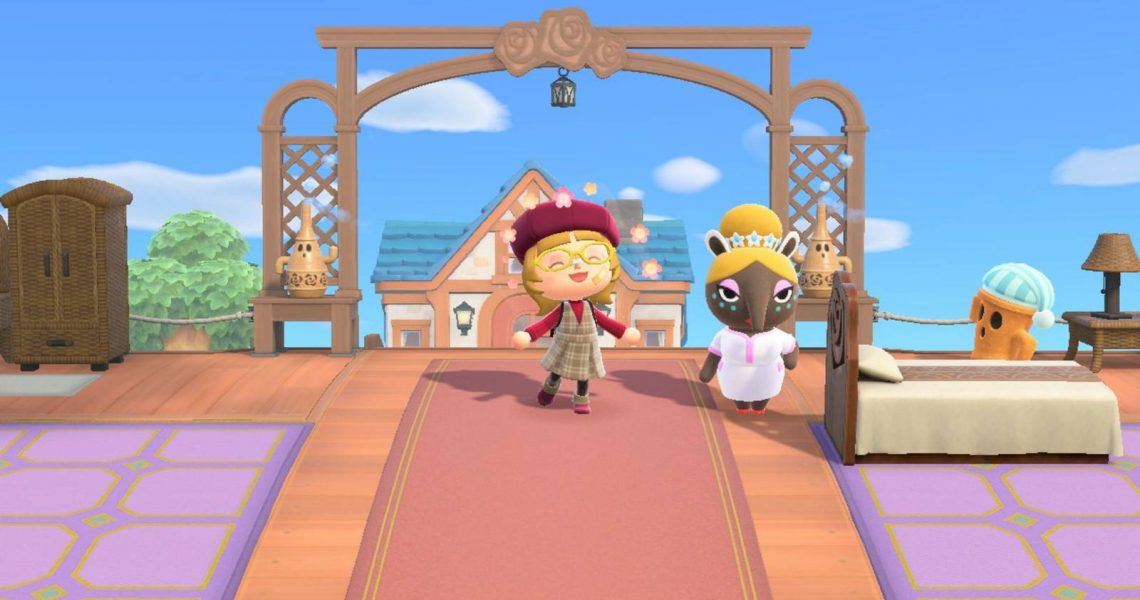
The release of the Animal Crossing: New Horizons 3.0 update gives players a chance to let their creativity shine in the new Slumber Islands. These islands allow players to decorate up to three new islands, either solo or with friends, without needing to purchase a new Nintendo Switch. This New Horizons guide will teach players new and old the way to unlock the Slumber Islands, how they can be decorated, and how to explore them with friends.

How to Get to the Hotel in Animal Crossing New Horizons
The Animal Crossing New Horizons 3.0 update adds Kappn’s family’s hotel where players can help out with decorating the rooms and selecting outfits.
How to Unlock Slumber Islands in Animal Crossing: New Horizons
Unlocking Slumber Islands in Animal Crossing: New Horizons will require players to meet a few prerequisites. Most importantly, players need to have an active Nintendo Switch Online membership and a working internet connection. In-game, players must have already unlocked Luna and met her in the dream world at least once. Additionally, one or more in-game days need to have passed since meeting Luna for the first time.
Players who meet all of these prerequisites and have updated their game to version 3.0 will wake up to a new letter from Luna the next time they log in. In the letter, Luna will mention a new region that can be visited in the dream space.

After receiving this letter, players will have access to the dream area containing the Slumber Islands. To enter it, the player must enter their home and lie down in any bed. Select the highlighted “it’s slumber time” option to discover the new dream region.

In this area, Luna will introduce the idea of Slumber Islands, connect the game to the internet, and allow players to choose between making their own Slumber Island or visiting a friend’s island. From here, players will have the ability to enter Slumber Islands every time they use a bed in their home through the same “it’s slumber time” option.
How to Unlock Luna in Animal Crossing: New Horizons
Finding Luna in Animal Crossing: New Horizons requires players to complete a few tasks on their island. Firstly, they must upgrade their home from the starting tent into an actual house and have a bed inside it. Secondly, they must have at least five villagers on their island.
Players who complete both of these tasks will receive a letter from Luna in the mail. Attached to the letter is a piece of furniture called Luna’s Bed. Players should place the item in their home and go to sleep on it to meet Luna for the first time.

From now on, sleeping on any bed in your home will grant you the option to revisit Luna in the dream world. However, actively using her services will require players to have both a Nintendo Switch Online membership and a working internet connection.
How to Use Slumber Islands in Animal Crossing: New Horizons
To use a Slumber Island, players must either host their own Slumber Island or visit someone else’s Slumber Island. Any Animal Crossing: New Horizons player with a Nintendo Switch Online membership can host up to three unique Slumber Islands.
Players can create a new island by entering the Slumber Island dream area, asking Luna to direct them to “my slumber island,” and selecting an empty slot. If a player already has three Slumber Islands, they can delete one to free up space for a new island.

Players will have the option to create small, medium, or large islands. Each island size will have four map options, ranging from entirely flat islands to some that are partially terraformed. They will also come with an exact replica of the host’s house. The home’s interior will be empty and will not be able to be changed, but the host player can change the exterior and move the house by talking to Lloid and selecting the “my house…” option.
Visitors can freely add furniture inside the home, but only the host will be able to change the lighting of each room and use the top-down method of placing furniture.
On a Slumber Island, all players will have access to a full set of tools in their pockets and all the furniture, clothing, plants, fences, and the terraforming permits they have available on their home island. At the same time, other players on the same island will have access to their full inventory. Items from one player’s inventory will not be shared with others on the island, but players can interact with each other’s items regardless of whether they own the items themselves.
This inability to share items extends to catching bugs and fish on the island. Since it is technically a dream, anything players grab and place into their pockets will simply disappear. New furniture or clothing items will not be added to the catalog, new fish and bugs will not fill out the Critterpedia, and even a player’s appearance will revert to its original form if they change it while on the island.
Changing the Season and Time of Day on a Slumber Island
The season of every Slumber Island will match the current season of the host’s main island, so it cannot be changed. However, host players can press the left arrow button on the left Joy-Con to change the time of day and weather on the island.

Placing Bridges and Inclines
Bridges and inclines can only be placed by the host of a Slumber Island. The host must talk to Lloid, select the “bridges and inclines” option, and decide whether to build a bridge or an incline. Lloid will then allow the host to choose a bridge or incline from the list of options available on the host’s island.
After selecting an option, Lloid will give the host a build kit for their chosen incline or bridge. The player will then place that build kit where they want the bridge or incline to be on their island. Lloid will build the structure a few seconds after placing it.

Like regular islands, there is a maximum limit of 10 inclines and 10 bridges on a Slumber Island. Host players who want to remove an incline will need to talk to Lloid to do so.
Using Custom Designs on a Slumber Island
Entering a Slumber Island grants the player access to a fresh set of custom design slots. Adding new patterns to these design slots will keep them saved for the Slumber Island whose slots they were added to, but the patterns will not be saved between different Slumber Islands.
Unfortunately, players will not be able to access the custom design portal while on a Slumber Island. Instead, they will be able to transfer custom designs from their home island slots to the slots of the Slumber Island they are currently on. Players wanting to use specific custom designs will need to save them to their home island first, then transfer them to the Slumber Island to use them. Luckily, the custom design app will still be available for players who prefer to make their own patterns.
Adding Villagers to a Slumber Island
One Slumber Island can host up to 10 villagers. These villagers can be added by both the island’s host and its visitors, though their houses will not spawn on the island. The villager pool a player has access to only consists of villagers who have personally lived on the player’s home island. This pool includes the game’s original villagers, the Sanrio exclusives, the new Splatoon squirrels, and the Zelda characters.
How to Play with Friends on a Slumber Island
To play with friends on a Slumber Island, one player will need to host the island while the rest will need to visit it. The player hosting the island must create or enter one of their Slumber Islands, then talk to Luna on the island and select the “invite others” option. They will then have the option to either “invite friends” or create a “Doze Code“. Players who choose to create a Doze Code are given the option to invite only friends or allow strangers, so be sure to choose carefully when doing so.
When inviting friends to a Slumber Island, Switch 2 players will have the option to start a regular session or a 12-player session. The regular session hosts 8 players and can be joined by both Switch 1 and Switch 2 players. The 12-player session will host 12 players, but can only be attended by Switch 2 players.

To visit a friend’s Slumber Island, all you need to do is enter the Slumber Island dream and select “someone else’s island”. If the host chose the “invite friends” option, the visitor needs to choose to “find a friend’s island.” Otherwise, players will select “search by Doze Code” and enter the host’s code to visit their island.


- Released
-
January 15, 2026
- ESRB
-
Everyone / Comic Mischief, Mild Fantasy Violence, Users Interact, In-Game Purchases
- Developer(s)
-
Nintendo EPD
- Publisher(s)
-
Nintendo
- Multiplayer
-
Online Co-Op

