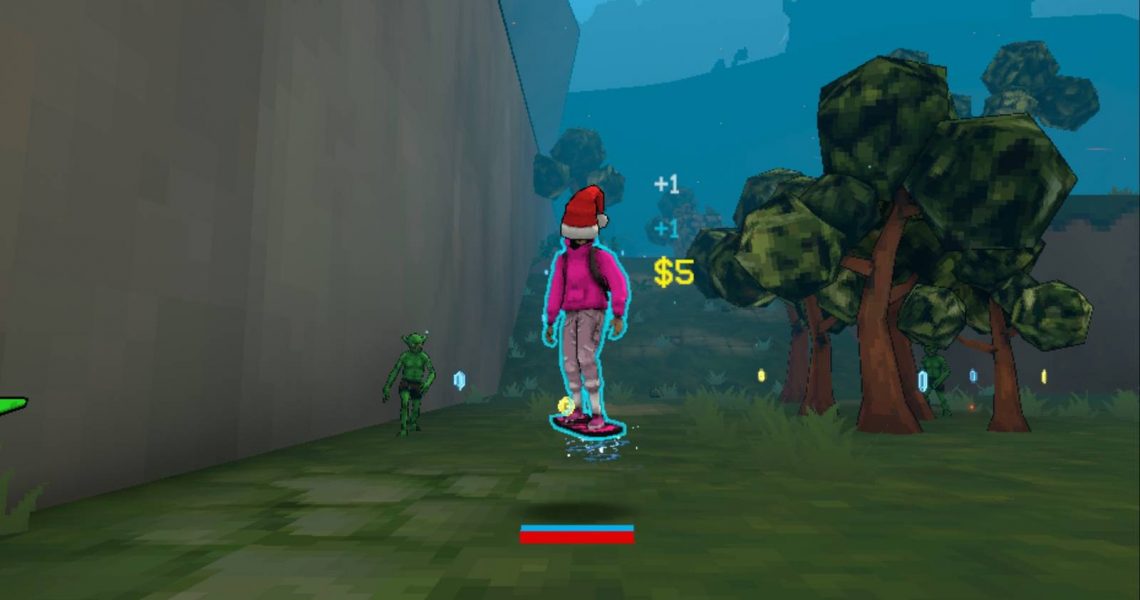
How to Get the Christmas Hat in Megabonk
Megabonk received the Spooky update at the start of December 2025, giving fans plenty of new content to explore. While it would’ve made more sense if it had come on Halloween, players were simply happy to have more items, characters, and weapons to unlock.

Megabonk: All Characters (& How to Unlock Them)
Here is a list of all the characters available in Megabonk and how to obtain them.
Only a couple of weeks later, the Christmas patch came out, bringing some necessary fixes as well as more holiday content to Megabonk. This guide will tell players how they can unlock the Santa Hat in Megabonk – the first hat cosmetic to become available in the game.
How to Unlock the Santa Hat in Megabonk

In Megabonk‘s Quest tab, players will find a Hats section. Players will be able to unlock the hat in this tab by finding the present hidden on the Forest map in Megabonk.
Where Is the Present Hidden on Forest?

The hidden present in Megabonk can be found anywhere on the Forest map. Players will have to do their best to explore the map by searching for it in every nook and cranny. The present isn’t all that large, so it can be hard to spot. Thankfully, it has been wrapped with red wrapping paper and a yellow bow, so it doesn’t blend in with the scenario of the Forest all that well.
If players want to find the Santa Hat fast, they should pick a fast character for their next Megabonk run in the Forest, such as Calcium or Tony McZoom – or invest in the Agility Tome. Either way, with a speedy character, they’ll be able to cover all ground a lot faster.

After locating it, players must open it and walk over the Santa Hat that will pop out of the present to equip it and have the opportunity to unlock it after the run.
How to Equip the Santa Hat in Megabonk
Once players have found the present on Forest and opened it, they can purchase it in the Hats section of the Unlocks section in the Main Menu. To permanently obtain the Santa Hat, players must buy it for 18 Silver.
To equip the hat, they must select Play in the Main Menu, pick a character, and then change the No Hat option (below the Confirm button) to Santa Hat.


- Released
-
September 18, 2025
- Developer(s)
-
vedinad
- Publisher(s)
-
vedinad
