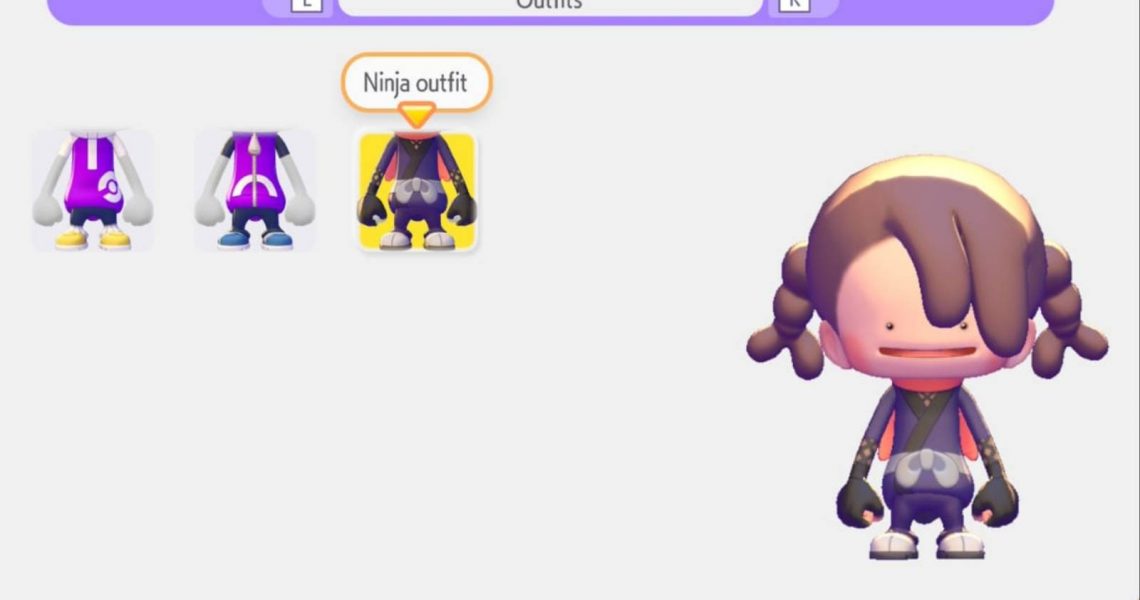

In Pokemon Pokopia, players take on the role of a Ditto that has transformed into a human. So, while their appearance still has some resemblances to a Ditto, it is very human-like, which is why players can customize their character.

All Pokemon Pokopia Codes & Mystery Gifts (March 2026)
Gamers won’t want to miss out on these free in-game items for Pokemon Pokopia.
Dittos are known for their versatility and their morphing skills, so it makes sense that they would be able to change their appearance at will. This guide shows players how they can change their character’s appearance and clothing in Pokemon Pokopia, so that they can do it whenever they please.
How to Change Your Appearance in Pokopia
Players can change their character’s appearance in Pokopia by interacting with a mirror. The change appearance menu is just like the one at the start of the game, allowing them to change everything about their character. Here is what players can change when interacting with a mirror:
- Face
- Hairstyle
- Hair color
- Outfits
- Tops
- Pants
- Headwear
- Bags
- Shoes

Players can find more customization options for their character by collecting human relics, which can be found by exploring the various areas of Pokopia.
How to Find a Mirror in Pokopia
Players can craft themselves a mirror or use one available in the environment. If they’d prefer to get their own, their best option is to get a Wall Mirror. Players can unlock the Wall Mirror by reaching Comfort Level 6 in Withering Wasteland. However, since this is a wall decoration, it cannot be placed in a grass hut – only inside a house. If players have already built a house, they will be able to craft a Wall Mirror using 1 Glass.
Gamers who aren’t able to craft or place the Wall Mirror can use the Large Mirror, which spawns by the Drilbur habitat. It may also appear in the daily shop when interacting with the PC.


- Released
-
March 5, 2026
- ESRB
-
Everyone / Users Interact, In-Game Purchases
