How to Get and Use 3D Printer in Pokopia
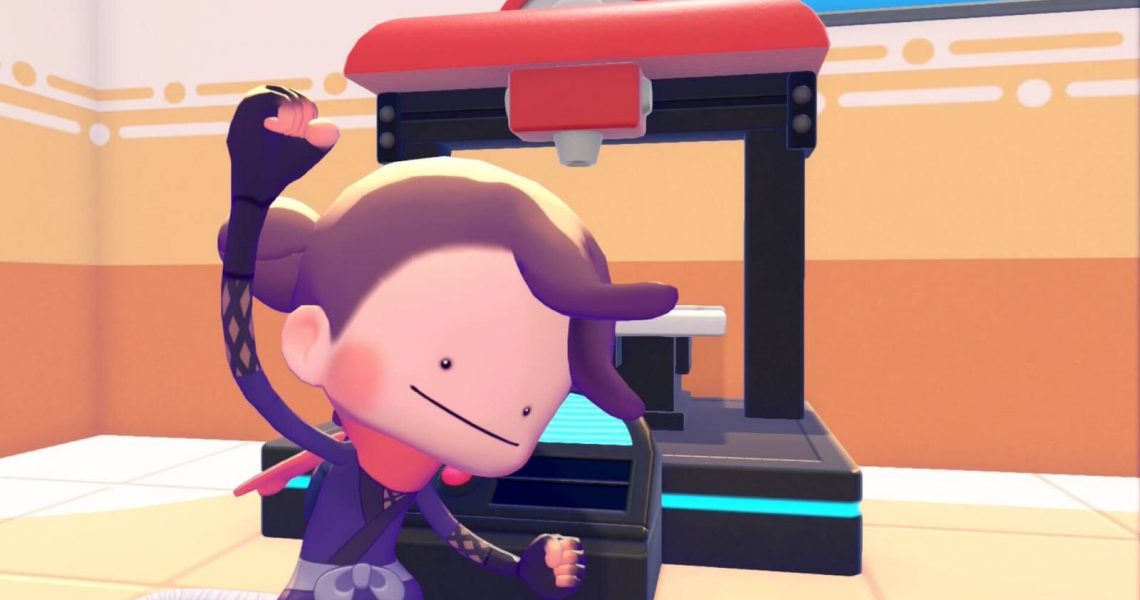
The 3D Printer lets you copy items by taking photos and using Pokemetal in Pokemon Pokopia. However, you have to rebuild the Pokemon Center in Withered Wasteland by getting Onix after completing the “Yawn Up a Storm” Important Request before you can access the 3D Printer inside this Pokemon Center.
Even then, there are a few caveats that stop you from copying absolutely everything you can at the 3D Printer in Pokemon Pokopia, so this guide explains both how to get the 3D Printer, and how to use the 3D Printer once you unlock access to it.

How to Get Pikachu in Pokopia (Pikachu Location)
Learn how to get Pikachu in Pokemon Pokopia by building the Picnic Set habitat in Palette Town.
How to Get 3D Printer in Pokopia

You have to rebuild the Pokemon Center of the Withered Wastelands area in Pokopia to get access to the 3D Printer inside. This involves the long process of increasing the humidity of the Withered Wastelands area in order to loosen up the soil and free Onix from the northwestern cave. After that, you need to make a Smooth Tall Grass Habitat for Onix, then get Onix to lead the building efforts of the Pokemon Center.
The final step to getting access to the 3D Printer is waiting until the daily reset time in Pokopia for the Center to finish building. Simply enter the Pokemon Center after this and look to the left to spot the 3D Printer, ready and waiting for you to copy items at.
How to Use 3D Printer in Pokopia
To use the 3D Printer and copy items in Pokopia, you have to:
- Open the camera and switch to Object Mode by pressing Y
- Take a photo of the item you want to copy
- Make sure you have some Pokemetal Ingots in your inventory
- Interact with the 3D Printer at a Pokemon Center
- Select the photo of the item you wish to copy
- Set the number you want to make of that item
- Consume Pokemetal Ingots to create copies of that item
Some items take Rare Pokemetal Ingots to make, which (true to its name) is pretty hard to come by. So if something requires Rare Pokemetal Ingots to make, you’re better off buying, crafting, or finding a copy of that item in the wild instead. For example, I took a picture of Moss in Object Mode and tried to make it at the 3D Printer for one Rare Pokemetal Ingot — which is a terrible idea, as you get the ability to make Moss yourself pretty early into the Rocky Ridges storyline.
Pokemetal
Ordinary Pokemetal Ingots are far easier to come by, as you can get them from:
- Item pick-ups in the wild
- Processing Pokemetal fragments in a Smelting Furnace
- Purchasing from the PC shop
- Trading with Pokemon at Pokemon Centers or Cash Registers
Use the Dragonite Doll to get Drifloon to take you to Sky Dream Island, which contains a lot of Pokemetal Fragments to farm.


- Released
-
March 5, 2026
- ESRB
-
Everyone / Users Interact, In-Game Purchases
