How to Find Graveler and Learn Rollout in Pokopia
You need to find Graveler to learn the Rollout ability in Pokemon Pokopia, but even though you can get Graveler early on by making a Mossy Boulder Habitat, you can’t actually learn Rollout until Machoke asks you to find Graveler. And Machoke won’t ask you until you’re far enough into the Rocky Ridges storyline.
To help you with the specifics, this guide explains where to find Graveler in Pokemon Pokopia, how to get Rollout, and how to use Rollout when you do learn it — as Rollout is a great ability for both speedy traversal, and smashing blocks en masse.

Pokopia: Burning Questions Answered
Shiny Pokemon, evolutions, multiplayer, Switch 1 compatibility, and many more Pokopia questions answered.
Where to Find Graveler and Learn Rollout in Pokopia
Graveler is found by making a Mossy Boulder Habitat in Pokemon Pokopia, but you can’t learn the Rollout ability from Graveler until you get far enough into the Rocky Ridges storyline, where Machoke asks you to find and speak with Graveler for them.
Specifically, you need to save the Pokemon in the barrel in Rocky Ridges, then continue along that questline until Professor Tangrowth tells you he needs time to think. At this point, speak with Machoke, complete his small request to cut down a fence, then return to Machoke, where you should see a bubble above his head saying “I gotta find ’em…”
If Machoke doesn’t talk about Graveler at this point, you might have to return to where Machoke took you to cut the fence and create a habitat for Magmar first.
We found a mossy boulder near the hot springs by the southwestern entrance to the mines in Rocky Ridges that was perfect for creating the Mossy Boulder Habitat in Pokopia. So if you’re struggling to find a place to get Graveler, you can use this spot. Make sure you’ve eaten a Salad before using Leafage by the mossy boulder, or you won’t create Moss.
When Graveler appears at the Mossy Boulder Habitat, now all you have to do is talk to them to unlock the Rollout ability in Pokopia, which allows you to speed about the place by curling up and rolling forward. You can also break blocks while rolling around by holding down the ZR button.
Make sure to go back to Machoke after learning Rollout so you can complete the request!
How to Use Rollout in Pokopia

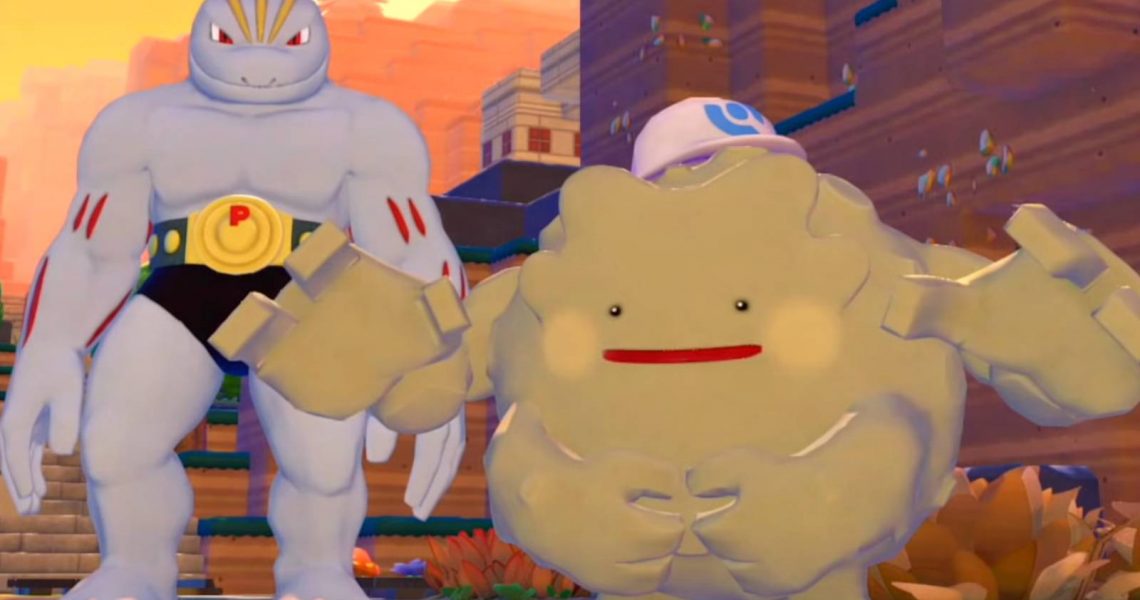
Once you get Rollout from Graveler, all you have to do is press the left or right arrows until you find the Rollout ability, then press ZR to transform into Ditto’s best attempt at mimicking what a Graveler looks like. With Rollout active, you’ll stay looking this way, and are able to traverse areas faster by rolling about. You can also hold down ZR to break blocks as you move. When you want to stop using Rollout, just press B to undo the transformation and return to your regular form.


- Released
-
March 5, 2026
- ESRB
-
Everyone / Users Interact, In-Game Purchases
