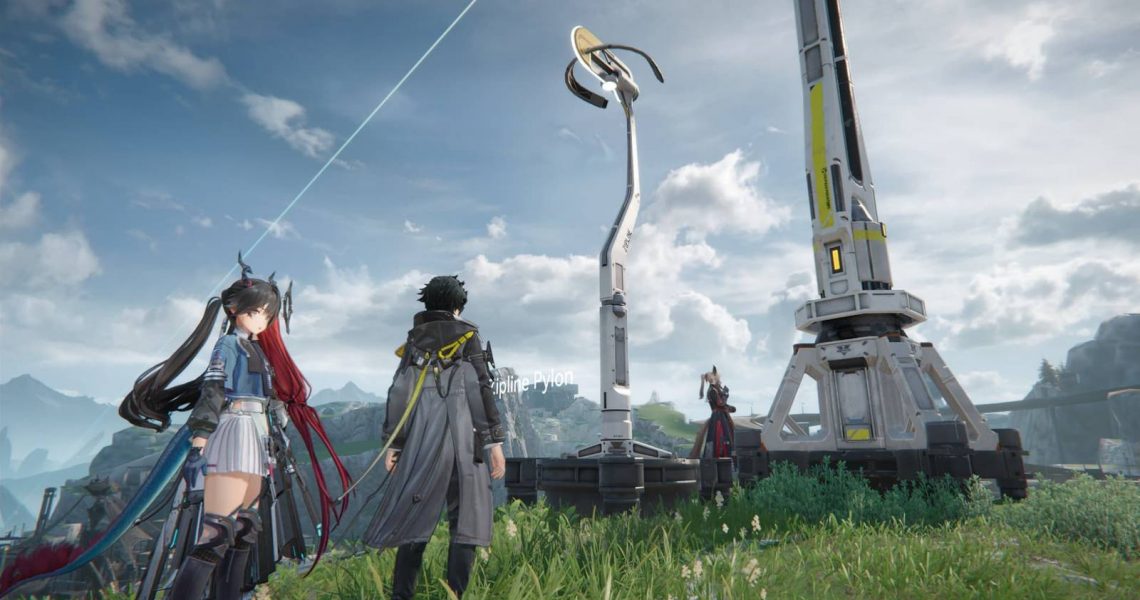
How to Build Ziplines in Arknights Endfield
The explorable in Arknights Endfield may not be as vast or expansive as in other gacha games, but they’re still quite large. Players will eventually reach a point where they have to do a lot of backtracking and exploring, and if the thought of doing a lot of walking seems absolutely repulsive to you, you can always take Ziplines.
At first, players will only be able to use Ziplines that are already in the world, but once you learn how to make your own, you’ll be able to make traversal so much faster and easier. If you’re wondering how you can make your own Ziplines in Endfield, here’s what you need to do.

How to Use Quick Stash in Arknights Endfield
This guide is a go-to resource for players struggling with limited backpack space in Arknights Endfield.
How to Unlock Ziplines in Endfield

To unlock the ability to build Ziplines, you’ll need to unlock the Field Mobility I node in the AIC Index menu. This node is in the second tier of unlockable blueprints, and to reach it, you’ll have to progress through the main storyline. To unlock any recipes/upgrades here, interact with Dataloggers found on the map (look for the yellow, flailing tube man balloons).
Zipline Pylons require Amethyst Parts to construct, though this shouldn’t be an issue if you have a factory producing a surplus of this material. Later on, you’ll be able to unlock the recipe for superior Zipline Towers. The latter requires Cryston Parts, which are much more complicated to make compared to Amethyst Parts.
Zipline Pylons can connect to other Ziplines within an 80-meter radius. Meanwhile, Zipline Towers can connect to others within a 110-meter radius.
Placing & Using Ziplines

Before you can use a Zipline, you first need to build a power line that’s connected to your main PAC or the sub-PAC in a nearby Outpost in Endfield. Place down Relay Towers, connect them to one another, and keep the daisy chain going until you reach the place where you want to place your Ziplines at. Place an Electric Pylon next to your Zipline to power it up, then you’ll be good to go.
The Relay Distribution node in the Basic AIC III tier creates a small power field around your Relay Towers. Get this as soon as you can if you don’t want to spend extra materials on Electric Pylons when building stuff on the frontier.
Next, you’ll need to construct and place at least two Ziplines, or just one if there’s already another nearby. Thankfully, you don’t need to connect any cables between them. Just make sure that both Ziplines are placed within range of each other, and you’ll be able to use them as many times as you want, and to any direction you want to go as long as there’s another Zipline waiting at the other end.
If you want other players to be able to see and use Ziplines in their own worlds, interact with your Zipline and press the Share button.