How to Get the Building Drone in StarRupture Step-by-Step Guide
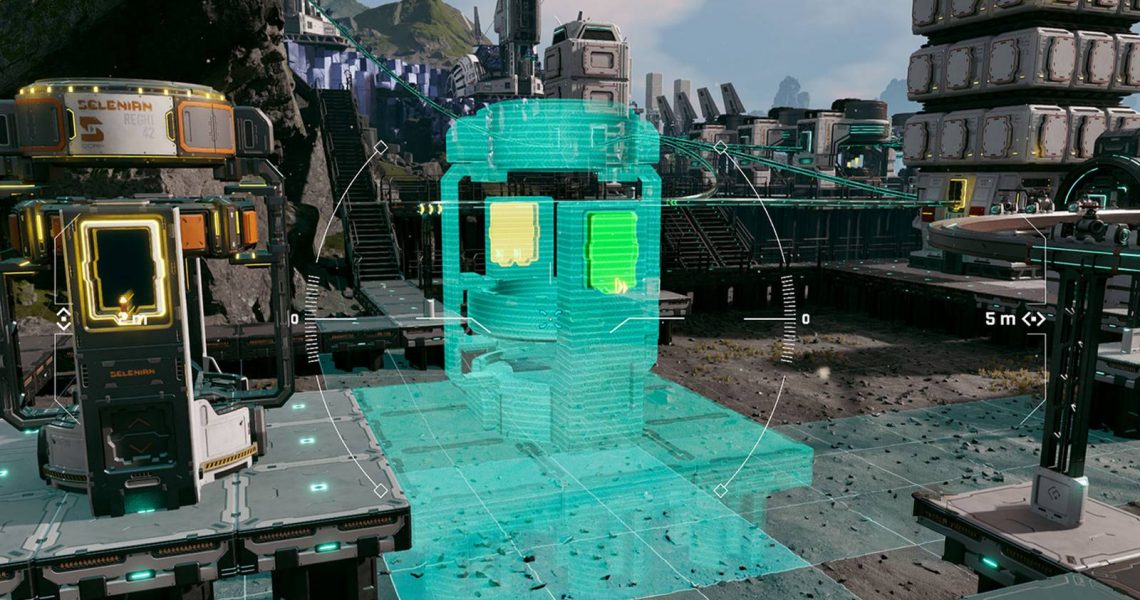
One of the best things about StarRupture‘s building system is that players can change the perspective by unlocking a Building Drone. This artifact can be used to create incredible and efficient bases that can overcome the harsh weather of Arcadia-7. and yield thousands of resources.
Plus, for those players who are eager to build superstructures and sci-fi factories, the Building Drone is a dream come true. Learn how to unlock this equipment and how to use it with this comprehensive step-by-step guide.

How to Destroy Buildings & Rails in StarRupture
Demolish buildings and rails as you continue to expand your base in StarRupture to improve the layout and make it more efficient.
How to Unlock the Building Drone in StarRupture
The Building Drone can be unlocked by reaching corporation Level 4 with Clever Robotics, which can be accomplished by delivering Wolfram Wire and Wolfram Plate using the Orbital Launcher or Data Points through the Corporate Terminal.
Unlocking and claiming the reward from leveling up with Clever Robotics will enable players to activate a fully mobile drone that has a 360º perspective and can ascend and descend while switching between the different structures players can build.

How To Unlock More Crafting Recipes in StarRupture
Unlock new recipes and craft your way to success in StarRupture with this comprehensive guide!
To operate the drone, press B to activate building mode, then press C to activate the Drone Camera. Now, moving around is a bit difficult at first, but here are a series of tips to help players get things started with the Building Drone:
- Use WASD to move the camera around.
- Use Spacebar to ascend, and CTRL to descend
- Press B again to enter the Building Menu from the Drone’s Perspective and select other structures
- Press F to enter Deconstruction Mode and delete structures
- Press RMB to fix structures to a spot
- Scroll with the Mouse Wheel to change the height/position of structures
- Press Y to fix structures at a certain height (for example, platforms)
- Press Q to cancel building
- Press R to rotate the structure
Players can also build at various levels of altitude if they stack Pillars and then use them to support structures like Rails. That way, they can get a cleaner transport line that won’t disturb the view and save lots of space by avoiding collisions between structures.
Remember that the drone consumes the Building Materials inside the players’ inventory, so make sure to have enough mats before starting to build.
The drone also has a limited area of effect. If players drive it too far away from their character, they will receive a warning message telling them that it’s not possible to build too far from the original building spot.
There’s also another limitation for those looking to build superstructures, and that is ground support. If the platforms don’t have enough connections to the ground, there will be an alert message that reads: ‘Structure Has Not Enough Support,’ and the building interface will become yellow.
If the interface/structure’s shade becomes red, that means it’s impossible to build on that zone. Try to rotate the structures to get a cleaner placement.

StarRupture

- Released
-
January 6, 2026
- Developer(s)
-
Creepy Jar
- Publisher(s)
-
Creepy Jar
- Multiplayer
-
Online Co-Op
- Number of Players
-
Single-player
- Steam Deck Compatibility
-
Unknown

