How to Destroy Buildings & Rails in StarRupture

Xbox Game Pass Just Added Two Surprise Games for January 2026
Xbox Game Pass surprise-drops two additional games to bolster its January 2026 lineup after a strong track record of additions in the previous year.
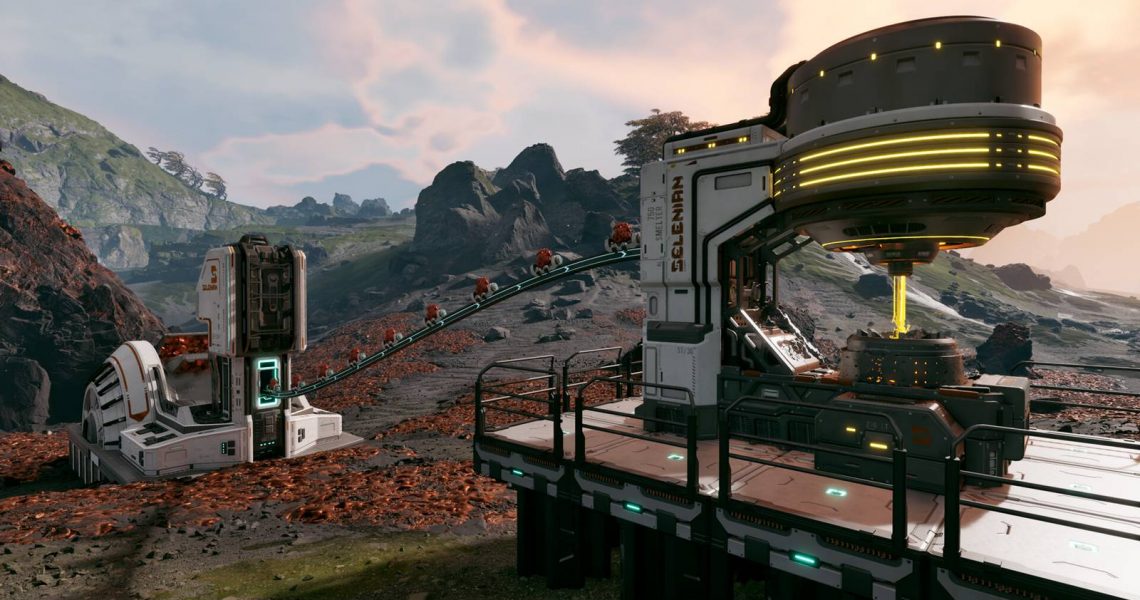
As you begin to build more ore extractors, smelters, and orbital cargo launchers to complete the various tasks that the organizations task you with in StarRupture, you’ll likely find your base becomes a bit of a mess. Fortunately, there’s an option to destroy or delete buildings and rails in StarRupture, so you can refine the layout of your base, connect different buildings together more efficiently, and generally make your life easier. In this guide, I’ll run you through how to delete buildings and rails so that any misplaced structures won’t ruin the feng shui of your base.
Deleting Rails and Structures in StarRupture
You’ll Even Get All Your Materials Back!

The good news is that to delete or ‘deconstruct’ any building, structure, or rail that you put in the wrong place, or is simply in the way as you begin to expand your base, all you need to do is press F on your keyboard to enter ‘Deconstruction Mode.’ From there, it’s simply a case of moving your cursor over the rail or building that you want to deconstruct, and then pressing and holding down the left mouse button (LMB). This will cause the circle to begin disappearing around the icon of your cursor.

Once this has filled, the structure will disappear, and any building materials you spent on building it in the first place will be returned to your inventory.
It’s possible to get by with your base being a bit of a mess to begin with. However, after a while, you’ll soon find that the best way to optimize Arcadia-7’s resources and the space you have is to demolish what got you to that point and rework it into a much more streamlined and effective system.
The amount of building materials recovered by deconstructing a building or rail will be shown underneath the building icon with a line through it when you’re in ‘Deconstruction Mode.’
Can You Edit or Move Existing Structures in StarRupture?
Unfortunately, this is where things get a little bit odd. Currently, at the time of writing and while the game is in its early access period, there is currently no way to simply select an existing building and edit or move it. This isn’t ideal, as sometimes you may just want to quickly rotate a building so that the rail entry or exit is facing in a different direction so one of your ore extractors or smelters can more easily transport materials to others in the production chain.
While this might be added in as part of a future update during the early access period or for the full release, for now, your only option is to use the deconstruction mode to delete the building entirely and then rebuild it in the place (or facing the direction) that you want.
Should this change in a future update, we’ll be sure to update this post and let you know. Looking for more StarRupture tips? We’ve got you covered, with beginner tips to help you get started, and how to farm data points to help level up your standing with those organizations quickly.


- Released
-
January 6, 2026
- Developer(s)
-
Creepy Jar
- Publisher(s)
-
Creepy Jar
- Multiplayer
-
Online Co-Op
- Number of Players
-
Single-player

