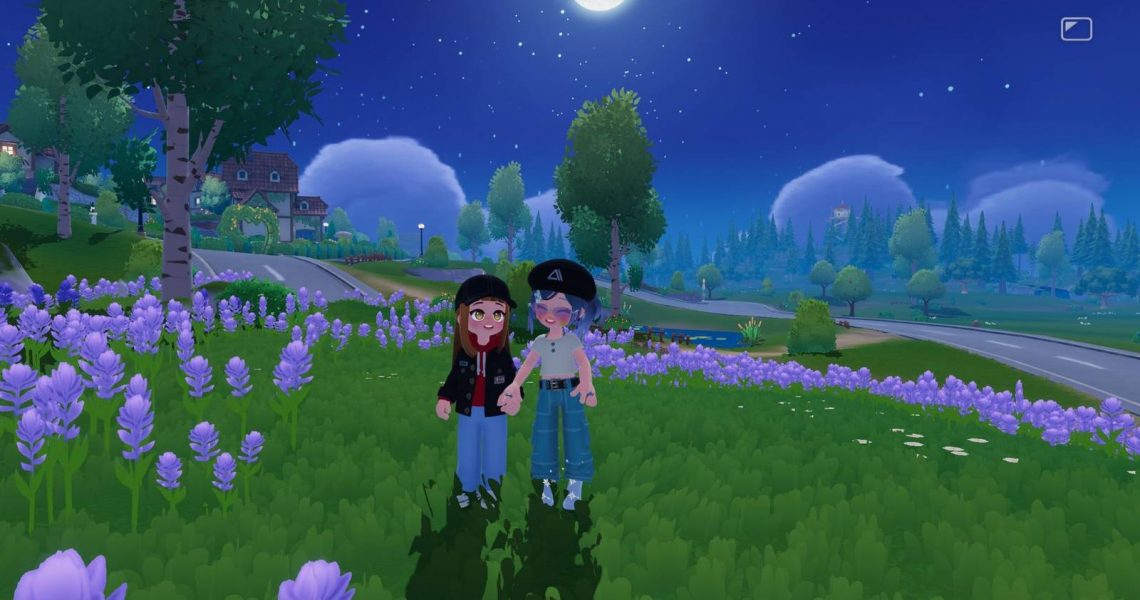
How to Increase Friendship Level in Heartopia
Playing with friends is always a blast, and this remains true in Heartopia, where you can live and explore in the same town as your friends while completing quests, raising pets, and more. However, the functionality of multiplayer is rather limited when your friendship is stuck at level 1.
While it is fun to play with friends at friendship level 1, new mechanics are unlocked as your friendship level increases. We’ll walk you through increasing your friendship level with another player in Heartopia so you can experience everything the game has to offer with your friends.

Heartopia: How to Play With Friends
Players can connect with their friends in Heartopia – here’s how to enter multiplayer.
How to Increase Friendship Level in Heartopia

The only way to improve your friendship in Heartopia is by performing two-person interactions with them. When you and your friend are in the same town, stand near each other to see a few icons above each other’s heads. The icon for doing two-person actions looks like two people standing side by side with a heart in the center. It should be the rightmost icon.
Press this icon to see a list of your available two-person actions. Select the one you’d like to do and wait for your friend to accept the request to perform it.
If your friend requests to do an action together, an icon representing the chosen action will appear above their head. Interact with the new icon to join them in the action.
Both players will earn Friendship Marks the first time that they do an action together in a day. Doing different actions or repeating the same one several times will not give any bonus points. Once players have gathered the designated amount of Friendship Marks, their Friendship Level will increase.
Players can only earn a few Friendship Marks each day, which means players cannot quickly increase their Friendship Level. It will take a lot of time and consistent meetings with your friend to reach the higher Friendship Levels available.
How to Visit a Friend in Heartopia

There are two ways to visit a friend in Heartopia. The first way involves joining a friend’s town instead of joining a random town when you log in. To enter the same town as your friend, start by pressing the white icon to the right of the start button on the main screen.
Interacting with this icon will bring up a list of your friends with their name, town number, and the number of people in the town. There will also be a blue join button to the right of your friend’s name. Press this button to enter their town.
.
When you’ve arrived in your friend’s town, open up the map. Your friend’s icon will appear on the map at their current location. Additionally, their home will be red with a heart on it.

Players can also visit their friends while living in separate towns. To visit a friend in another town, enter the Friendship Journal app and select the friend you want to visit. There will be an orange visit button at the bottom of the screen. Press this button, then tap confirm when the game asks if you want to visit their town.
If there are available spaces in their town, choosing to visit them will cause your home to move as well.
How to Check Friendship Level in Heartopia
The level of your friendship with a specific friend can be checked in Heartopia’s Friendship Journal app. Select the friend whose level you’d like to check, then press the red heart icon in the upper right corner of their folder. This will show your current friendship level with them, how many points are needed to increase it to the next level, and the actions you’ve unlocked together.
All Friendship Level Rewards in Heartopia
Heartopia rewards players for increasing their Friendship Level by letting them do new things with their friends. The different actions and abilities unlocked by raising your Friendship Level with someone include the following:
|
Friendship Level |
Unlocked |
|---|---|
|
1 |
– Friend chat – Teleporting to the friend’s town – Sending postcards – Holding Hands action – Relaxing High-Five action |
|
2 |
– Energetic High-Five action – Shoulder Check action |
|
3 |
– Give your friend a gift – Invite your friend to co-build – Face-to-Face Spin action – Friendly Hug action |
|
4 |
– Bear Hug action – Pet on the Head action |
|
5 |
– Happy High-Five action – Hold Arms action – Let’s Watch Meteor Shower action |
|
6 |
– Comfort Hug action – Hook Pinkies action – Snow Dance action |
|
7 |
– Arms Heart action – Hand-in-Hand Dance action |
|
8 |
– Double Selfie action – “Forced” Head Pat action |
|
9 |
– Laid-back Waltz action – Pinch Cheek action |
|
10 |
– Hold Face action – Shoulder Lean action |



- Released
-
January 8, 2026
- Developer(s)
-
XD
- Publisher(s)
-
XD
- Number of Players
-
Single-player
- Steam Deck Compatibility
-
Unknown