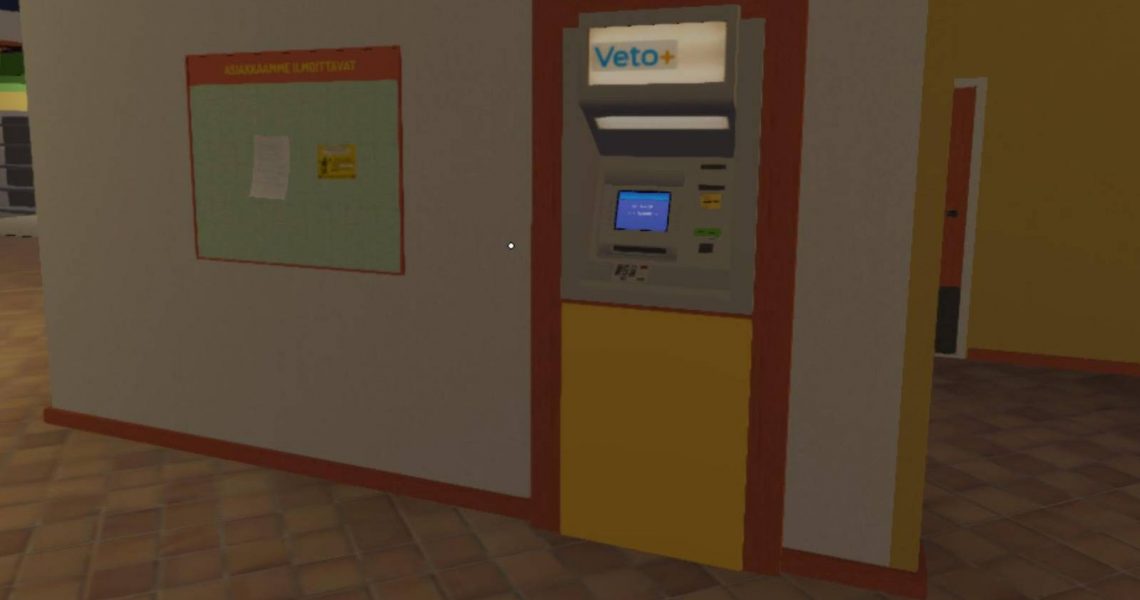
How to Use the ATM in My Winter Car
Almost every system in My Winter Car is designed to mimic real life. That commitment to realism also extends to money and payments, which is where the confusing credit card system comes in. What should be a simple payment method instead turns into a quiet trap that catches many players off guard.
The game never explains how the credit card PIN works and there is no visible instruction on what code to use. It doesn’t even warn you that your first input permanently defines your card’s behavior. This guide breaks down how the credit card PIN in My Winter Car actually works so that you can save yourself from the frustration later.

My Summer Car: How to Get Rid of Fatigue and Dirtiness
Apart from building their cars, players also need to take care of their fatigue and dirtiness in My Summer Car, and this guide explains all about it.
How the Credit Card PIN Works in My Winter Car

There is no preset or universal PIN in My Winter Car. The first time you ever use a credit card, the game lets you create your own PIN without telling you that you are doing so. Whatever numbers you enter during that first prompt are silently saved as your permanent PIN. There is no confirmation screen, no warning, and no reminder later.
From that moment on, the game expects you to enter the exact same number every time you use the card. As such, you’re free to choose any PIN you want, whether it’s something simple like 0000 or 1234, or a custom number like 6969 or 2222.
After the first use, the credit card behaves like a real one. The first PIN you enter becomes your PIN forever. As such, choose something easy, remember it, and never enter random numbers.
If you enter the wrong PIN, the transaction fails. In case you forget the correct one, the game offers no hints or recovery options.
At the time of writing, there is no in-game way to recover or reset your credit card PIN. You need to remember the original PIN, so keep it simple. You can also reload a save made before the first card use and redo your PIN or dig into the save files.
How to Use ATMs in My Winter Car
You can use your credit card at ATMs in My Winter Car to withdraw cash and check your account activity. To use an ATM, follow the steps below:
- Insert your credit card into the ATM.
- When prompted, enter your PIN using the keypad. If this is your first time using the card, the PIN you enter will be saved permanently.
- Select Otto if you want to withdraw cash, or Tapahtumat to view your transaction history.
- If withdrawing money, enter the amount you want to take out.
- Decide whether you want a receipt by selecting Ei kiitos to skip it or Näytölle to view it on screen.
- Remove your card from the ATM and collect your cash before walking away.


- Released
-
December 29, 2025
- Developer(s)
-
Amistech Games
- Publisher(s)
-
Amistech Games
- Early Access Release
-
December 29, 2025
