How to Turn Off Simple Build and Simple Edit in Fortnite
Zero Build is one of the most popular game modes in Fortnite. When the game first appeared, playing without the building mechanic wasn’t an option. However, since many players weren’t fans of this mechanic due to its complexity, Epic Games made Zero Build a permanent option so everyone could have a good time playing Fortnite.

Fortnite: How to Enable Auto-Fire
Fortnite allows players to change their in-game settings to their preference, and a particular choice is the closest players can get to Aimbot.
In Chapter 7, Epic Games introduced the Simple Build mechanic in hopes of getting players to give building another try. With Simple Build, creating walls and stairs has never been easier – this guide explains how the Simple Build feature works and how to toggle it on and off.
How Simple Build Works in Fortnite

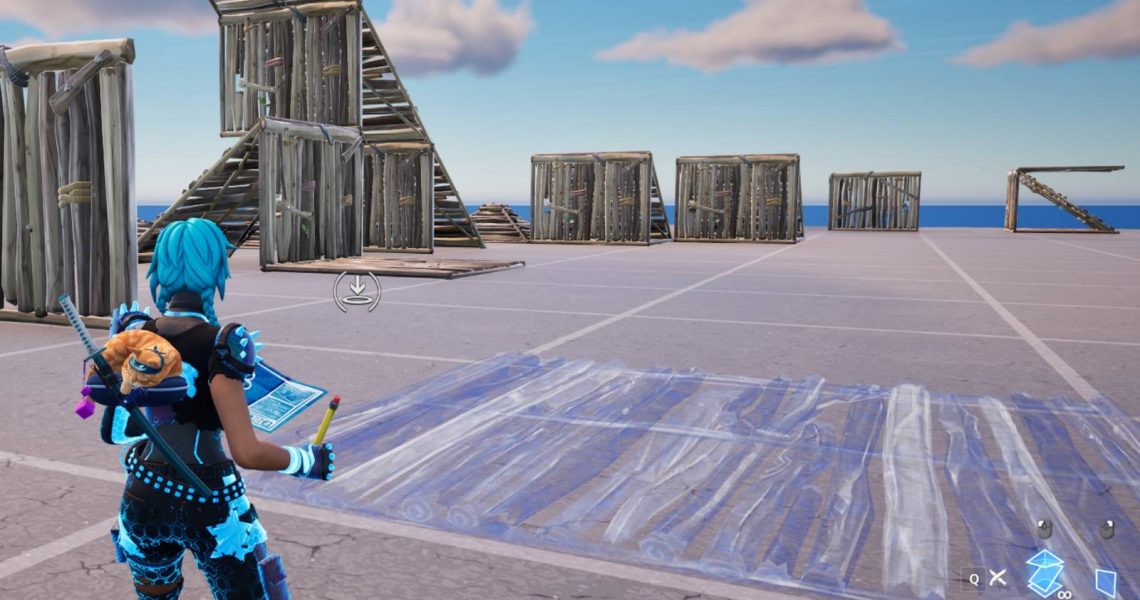
With Simple Build enabled, players only have to use two keys to build in Fortnite. One of the keys will build a Wall piece, while the other will build Stairs, Roof, and Floor pieces, depending on where the player’s camera is pointing.
If the player points their camera at the upper half of their screen, they will build Stairs. However, if they’re looking at the bottom half of the screen, they will build a Floor piece. They can continue to look at the bottom half of the screen to build a Roof piece on top of the Floor.
The Simple Build mechanic might not be the best option for players planning to enter a build battle, but it makes it easier to quickly put up some protective cover or build a couple of Stairs to quickly get high ground. At the moment, it is a bit janky, as it has some trouble understanding what the player wants to create when the structure reaches a certain height, but Epic Games should certainly improve it as it receives feedback from players.
How to Toggle Simple Build and Simple Edit On/Off
When Chapter 7 began and the Simple Build feature was introduced, a pop-up appeared on players’ screens asking them if they wanted to enable it. Many pressed ‘yes’ by mistake, or they might have wanted to give it a try before figuring out it wasn’t for them. That’s not a problem, as players can easily toggle Simple Edit and Simple Build off at any time.
To disable Simple Edit or Simple Build in Fortnite, players have to open the Settings menu, select the Game tab (fourth on the left), scroll down to the Building section, and choose Off for these settings.
If players change their mind in the future and want to re-enable, they can return to the Settings tab and turn it back on.

- Released
-
September 26, 2017
- ESRB
-
T for Teen – Diverse Content: Discretion Advised, In-Game Purchases, Users Interact