ROG Xbox Ally Gets New Features With November 25 Update
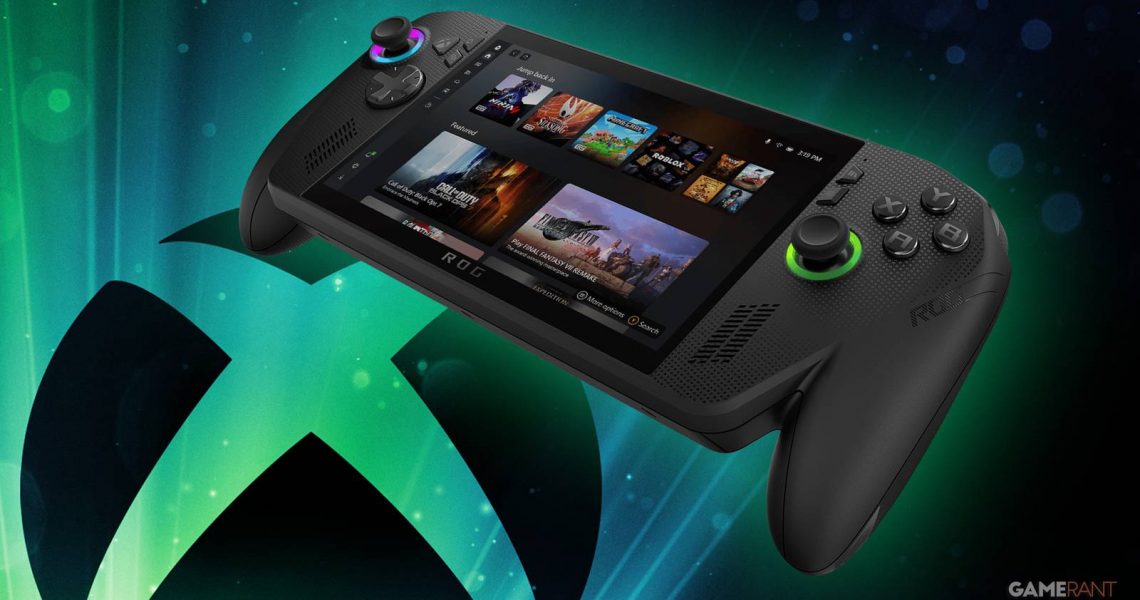
The ROG Xbox Ally range of handhelds has just been given an update that includes a feature designed specifically to improve the devices’ FPS performance and battery life. On top of today’s update, Xbox has also teased some other impressive features heading to the ROG Xbox Ally in the coming weeks and months.
Retailing for $599.99 and $999.99 respectively, the ROG Xbox Ally and the ROG Xbox Ally X are essentially handheld PCs that have been made with the Xbox gaming ecosystem in mind. Despite their high price points, the ROG Xbox Ally and Ally X have been met with a relatively warm welcome from many critics and early adopters, though the handhelds’ launch hasn’t been without its fair share of valid criticisms.
ROG Xbox Ally Gets Default Game Profiles and Other Improvements
Xbox has been actively listening to the feedback following the ROG Xbox Ally’s launch a month ago and has been hard at work developing new features to tackle those early critiques. One of those features is available in today’s ROG Xbox Ally update, albeit only for those who have switched on Preview features. As of November 25, ROG Xbox Ally owners can now access Default Game Profiles, which automatically turn on when booting up one of the 40 currently supported titles, a list that includes the likes of Gears of War: Reloaded, Halo: The Master Chief Collection, Call of Duty: Black Ops 7, Doom: The Dark Ages, and Fortnite.

Put simply, these new Default Game Profiles ensure a more efficient experience that’s tailored individually to each game. If the target FPS isn’t being met while playing one of these games, the ROG Xbox Ally will sacrifice battery life to boost the handheld’s performance and deliver a smoother gameplay experience. On the opposite end, if the game is exceeding the target FPS, then the ROG Xbox Ally will automatically cap the framerate to increase the console’s battery life. Xbox Wire uses the example of Hollow Knight: Silksong, which reportedly adds “nearly an hour of battery life” while still delivering 120 FPS when using its Default Game Profile.

While the Default Game Profiles are the main event of this ROG Xbox Ally November update, there have also been a suite of other tweaks that have been made to improve the handhelds’ technical performance and UI, all of which are detailed in the patch notes below. Xbox Wire also teased some other features heading to the ROG Xbox Ally soon, such as a Game Save Sync Indicator coming next week, and improved microSD formatting options and AI-powered Automatic Super Resolution coming early next year.
ROG Xbox Ally November Update Patch Notes
Xbox App on PC and Game Bar 2511
- Performance improvements have been made for pages with large game lists, so the Library and Cloud Gaming pages will load faster.
- Provided ability for app downloads in the library to be canceled, among other improvements.
- Game galleries can now be filtered by a game’s Performance Fit.
- Gamepad input improvements have been made to the autosuggest UI in the search bar.
- The Wishlist page has received several improvements, including a shiny new coat of paint.
- We’ve added a game save sync status indicator to the Game Hub for your games.
- The Push-to-Talk functionality for Gaming Copilot has received some visual improvements.
- Rewards Hub has been updated with Shop and Earn information.
- The Capture and Gallery widgets in Game Bar now have better controller support.
- The Audio widget in Game Bar had its layout and styling updated.
Windows 11B
- Fixed: This update addresses an issue that affects gaming handheld devices. These devices were unable to stay in low-power states, which caused faster battery drain.
- Fixed: This update addresses an issue on some handheld gaming devices where after signing in using the built-in Gamepad, the controller might not respond in apps for about five seconds, causing a delay. After you submit your password or PIN, the touch keyboard on the sign-in screen hides automatically.
AMD Driver
- Update addressing Elden Ring crashes
- Improved performance overlay reliability
- Fixed issue where enabling RSR + Performance overlay caused severe stuttering
- Hellblade 2 graphical issues addressed
ASUS Armoury Crate and Command Center
- Smarter 40 FPS mode: The 45 FPS limiter is now 40 FPS to better sync with the 120Hz display for smoother gameplay and more consistent frame pacing.
- Update notifications in Command Center: You’ll now get a clear alert when new system updates are available.
-
Better Full Screen Experience (FSE) integration
- New intro promo support for both ROG Ally models
- You can now map Enter/Exit FSE to a button
- Per-game profiles also support FSE key bindings
- More performance tuning options: Devices with hybrid CPUs (ROG Xbox Ally X) now include separate P-core / E-core configuration options under Performance > More Settings.
- Windows power mode selection added: Manual Mode now lets you pick the Windows power mode that works best for your play style.
- More precise gyro aiming: Gyro now automatically picks the best mode (polling vs. interrupt) for improved accuracy and responsiveness.
- Brightness setting now stays put: Screen brightness will no longer change when switching between different operating modes.
- Visual refresh to the bottom bar: Updated button styling with a cleaner grey design.
Source: Xbox Wire